How Barcode Scanning Improves Your Hub Operations

If you are a courier company with a hub-based operation, you definitely use barcode scanning somewhere within your operation or feel the need to use it. If you are new to the industry or not using barcode scanning as much, I will discuss how it can improve your operations.

To Whom is This Article Useful:

  • Courier companies with hub-based operations.
  • Delivery businesses with high daily parcel volume.
  • Teams handling returns and re-delivery attempts.
  • Companies managing more than one warehouse.
  • Dispatchers and warehouse staff who need accurate parcel status updates.

What Happens Inside a Delivery Hub

Inside a delivery hub, where packages arrive for preparation, a lot of chaos can happen. When many orders come in at the same time, they need to be organized, sometimes by address, sometimes by delivery time, and more importantly, by the action they need, such as return or delivery, or even by their weight and size, or other options that they have.

Checking each package one by one and sorting and updating their statuses is a heavy manual work that requires so much concentration and focus, which can be very difficult for a person or even a team consisting of many people. As much as the manual work is reduced, the whole process can become more trustworthy and less stressful, and needs less focus at all times. Here is where the Scanner App becomes handy. Scanner App brings precision, accuracy, and eliminates tiring repetitive work for you and your team. This way, even in your rush hours, you can have the same amount of efficiency and effectiveness because your operation team is not equipped with the right tools.

What is Barcode Scanning in Hub Operations

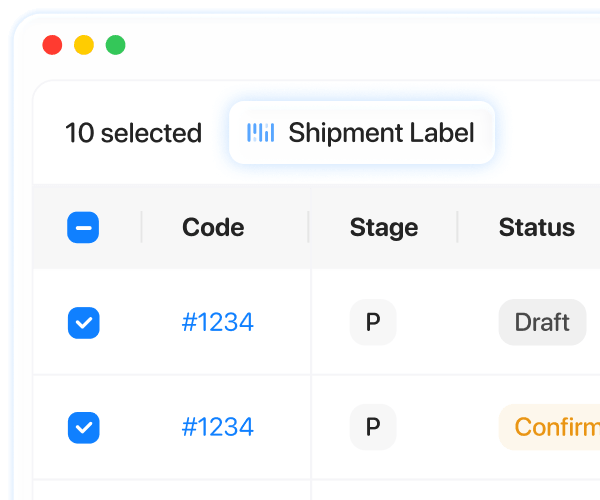
Barcode scanning is the process of scanning the shipment label taped on a package to perform a certain action. It can be as simple as checking the order’s details like addresses, note, etc., or it can include a status update to move the package to the next step on the delivery journey to reach the destination.

Why a Scanner App Is Important in Hub Operations

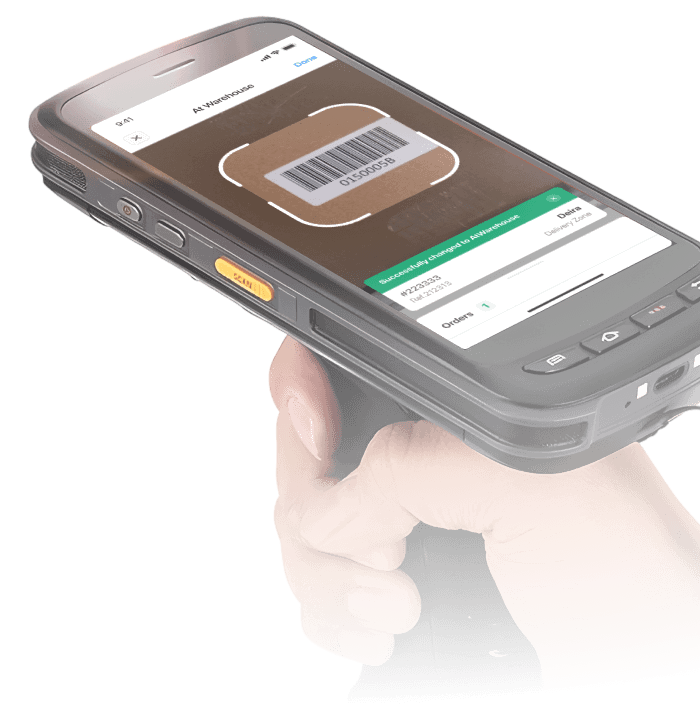
The hub actions can be done using a Scanner App. The scanner app is a simple app installed on a phone or a scanner hardware device, and can scan your parcel’s shipment labels for certain purposes, such as: 

  • Checking the order information.
  • Inbound scanning.
  • Transferring orders between warehouses.
  • Returning packages.
  • Making the order ready for delivery from the hub.
  • Sorting parcels.

As you can see, the Scanner App can be useful at many stages of the delivery process, and using it can noticeably reduce the time needed for these tasks. Since time directly affects cost, saving time also helps reduce business expenses. 

The Most Common Challenges in Hub Operations

A hub is usually a busy place, where everyone is trying to work faster and more accurately, because even a small mistake can lead to a lot of extra manual work or force the whole process to be done again. This can frustrate the client or recipient, and in some cases, the damage cannot be undone. 

Some of the most common challenges of the hub/warehouse operations:

  • Sorting a package into the wrong place or step.
  • Missing a package during the operation.
  • Delays in delivery due to heavy activity inside the hub.
  • Mistakes in order details, such as the address or package dimensions.
  • The recipient is not available, which means another delivery attempt is needed. 
  • Or even losing the package.

Why Manual Hub Processes Create Delays and Errors

Handling hub operations manually becomes more difficult when the same tasks are repeated again and again. Repetitive work can reduce focus and accuracy over time, which increases the chance of mistakes. When errors happen, teams often need to repeat a step or take extra action to fix the issue. Repeating status updates, rechecking package information, or correcting other mistakes does not just create more work; it also slows down the whole operation and causes delays.

On top of that, every team includes different people with different working styles, strengths, and levels of accuracy. It is not realistic to expect everyone to work at the same speed or with the same level of precision all the time. This can create inconsistency in the operation and lead to more delays.

Manual work may be easier to manage early in the day, but during busy hours, when many packages arrive at the same time, the hub can quickly become crowded and harder to manage. This creates a stressful environment, and stress can make it harder for people to stay accurate.

The more your operation depends on manual work, the harder it becomes to scale. When everything is done manually, handling more volume usually means needing more space, more infrastructure, and more staff. It also means higher costs and more pressure to maintain accuracy.

In summary, manual hub or warehouse processes can lead to:

  • Reduced focus and accuracy because of repetitive work.
  • More mistakes and extra steps to fix them.
  • Repeated actions such as status updates and package rechecks.
  • Inconsistent performance between team members.
  • More delays during busy and crowded hours.
  • Higher stress, which can further reduce accuracy.
  • More difficulty when trying to scale the business.
  • Higher operational costs due to increased staff and infrastructure needs.

How Onro’s Barcode Scanner App Supports Hub Teams

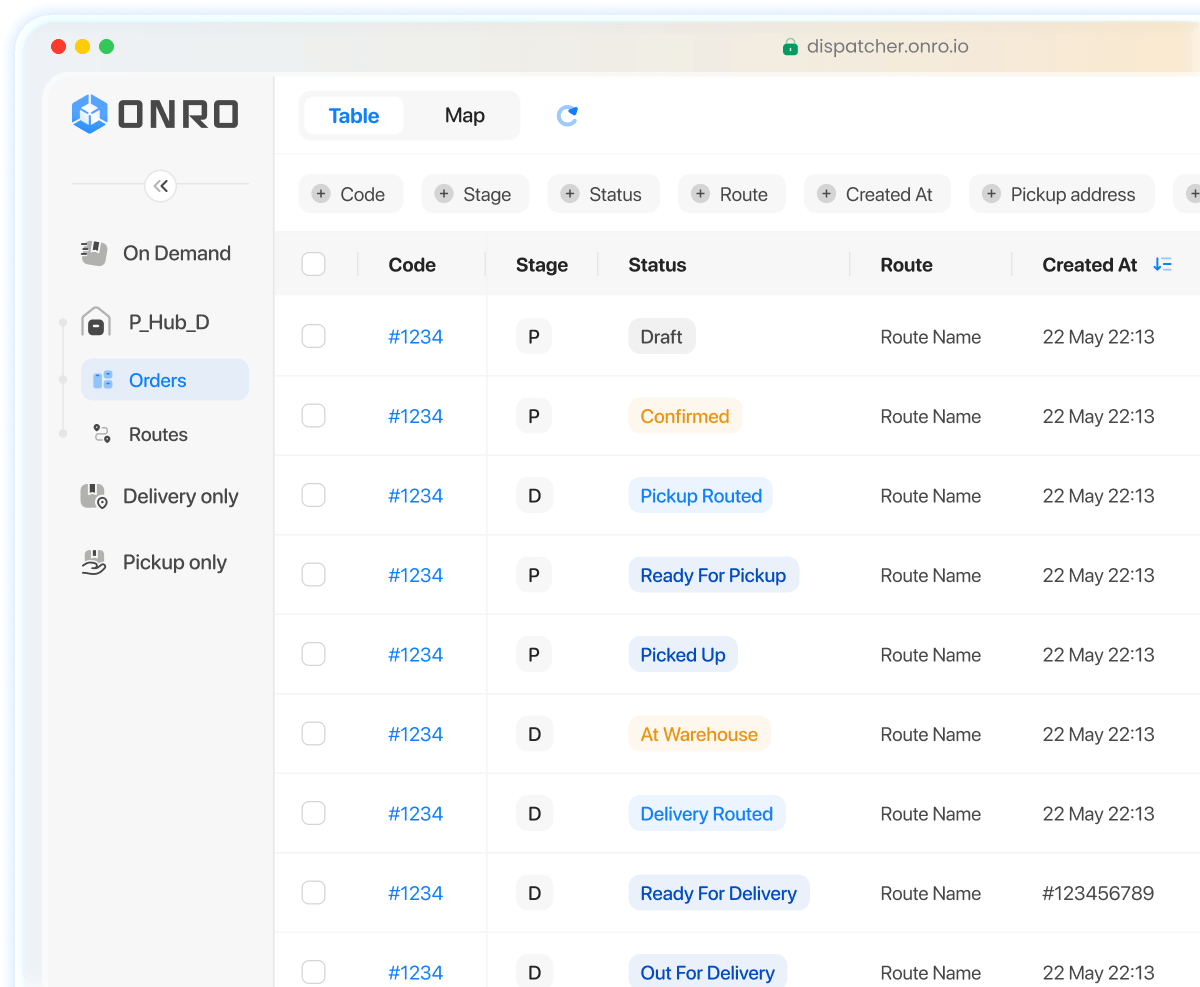
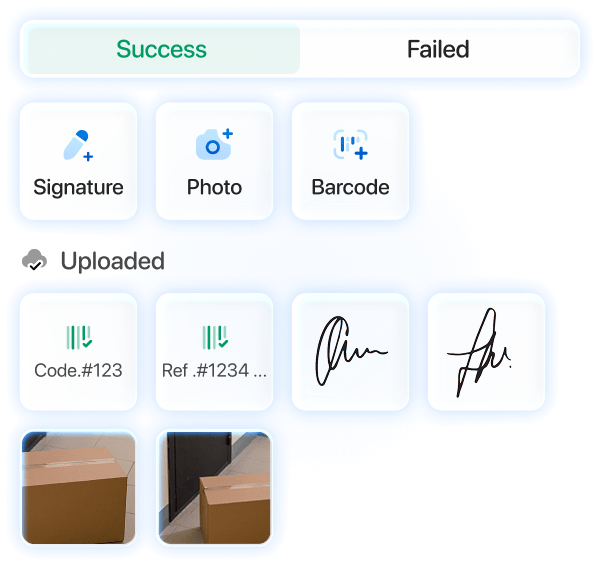
Onro scanner app at a glance.

Onro offers a Scanner App for your hub-based operation to minimise the possible errors and maximize accuracy and efficiency. With Onro’s Scanner App, your team can forget about the manual work at a great expense and enjoy the art of automated machine work.

Here are some of the tasks that can be done with our Scanner App:

Confirming the Order

Sometimes, when an order is first created, it stays in draft status in the system. With Onro, when you want to confirm the order and start the delivery process, you can simply scan its barcode. The status will update automatically, with no manual work needed.

Checking Package Details

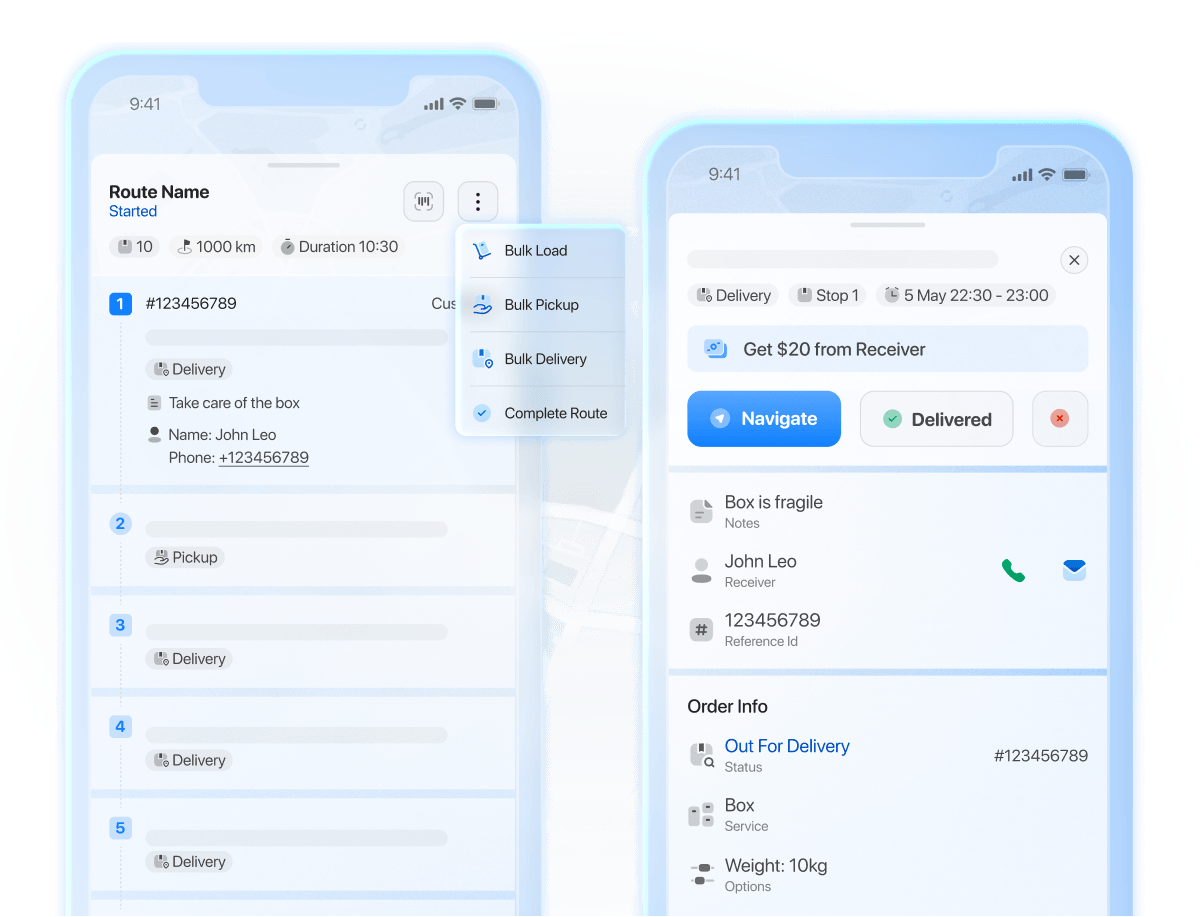
Sometimes you only need to check a package’s details, such as the customer name, pickup or delivery address, address details, service, vehicle type, or other options. With the Onro Scanner App, you can scan any parcel and quickly review its information.

Inbound Scanning

You can scan packages when they enter the warehouse. If you have multiple warehouse locations, you can also choose which warehouse the package is entering. This not only updates the order status automatically, but also updates the order details, so your team and dispatchers can clearly see which package is in which warehouse.

Returning Packages

Another useful feature of the Onro Scanner App is making packages ready for return. For different reasons, a package may need to be returned to the sender or the pickup location. This process is often one of the more challenging parts of courier operations, but Onro makes it much simpler. You can scan the order barcode to update its status and prepare it for return.

Delivering Packages

When a package is delivered, you can scan it to update its status and mark it as completed, without needing any manual action.

Why Barcode Scanning Becomes More Important as Volume Grows

As your hub gets busier, the amount of repetitive work grows too. When people have to do the same tasks again and again all day, it gets harder to stay focused and accurate. Since accuracy matters a lot in hub operations, this can also create more pressure for the team.

This is where a Scanner App becomes more important. It makes daily tasks easier, faster, and more reliable. Packages can move through the hub with less manual work and fewer mistakes. It also helps keep status updates accurate and makes sorting and processing easier, especially during busy hours.

In short, barcode scanning helps with:

  • Faster package handling.
  • Less manual work for the team.
  • Fewer mistakes during daily operations.
  • More accurate status updates.
  • Easier sorting and processing of packages.
  • Better performance during busy hours.
  • Fewer delays in hub operations and delivery.
  • Easier scaling as order volume grows.

Conclusion

To sum it all up, hub-based courier operations involve a lot of repetitive work, and that work can either be handled manually or made much easier through automation. If you want to reduce manual effort and improve efficiency, using a Scanner App is one of the best ways to do it.

Onro understands the everyday challenges courier companies face in hub operations. That is why we have developed the Scanner App to simplify important tasks, reduce errors, and support your team in working faster and more accurately. As your operation grows, Onro can help you keep your process more organized, more efficient, and better prepared to meet customer expectations.

FAQ

How does barcode scanning help with delivery updates?

When a package is delivered, scanning can update its status and mark it as completed without manual work.

Why do manual hub processes create delays and errors?

When certain tasks need to be done all day and every day manually, it makes it harder and harder to keep focused and accurate. Thus, more delays and errors will happen.

How does Onro’s Scanner App support hub teams?
Onro’s Scanner App helps reduce manual work and supports teams in working faster and more accurately. It can be used for order confirmation, checking package details, inbound scanning, returns, and delivery updates.

Can Onro’s Scanner App support multiple warehouses?

Yes, if you have multiple warehouse locations, you can create them in Onro, and when scanning the packages, you can select which warehouse or hub you are scanning the packages into.

How does barcode scanning help with returning packages?

If you need to return a package from your hub, you can scan its barcode, and the order status will update automatically and make it ready to be returned.

About the Author

Hiva Bahrami

Technical Support Manager at Onro, dedicated to ensuring courier businesses get the most out of their operations through reliable support and continuous improvement.

Onro Content Lab Linkedin
share article in twitter share article in facebook share article in linkedin
Show All
Contents
get a demo of All ArticlesSoftware for free

All-in-one Last Mile Delivery Software

Optimize your operation, delight your customers, and improve your transparency using a complete last mile delivery software.

Get Your Free Demo