New Release: From Communication Update to the Foodhub Integration
October 2024
New Features
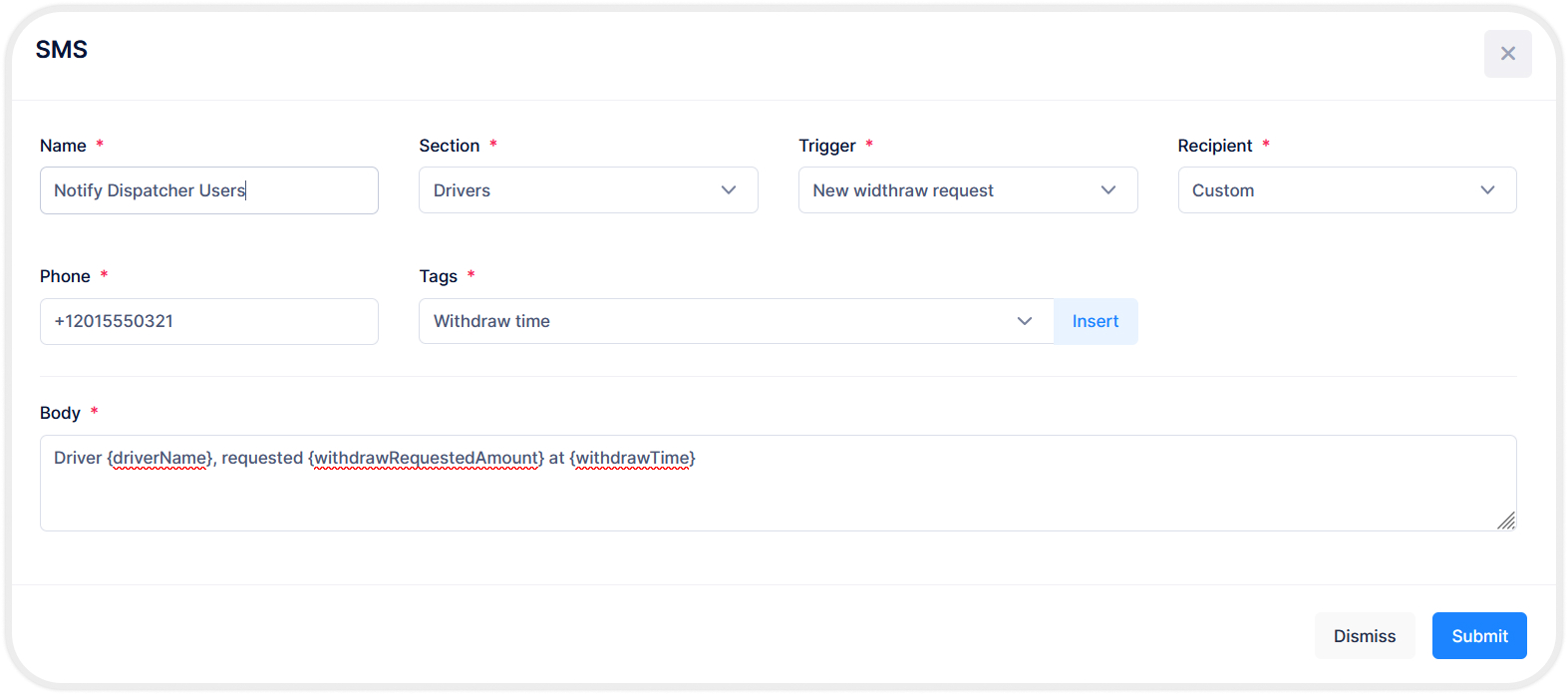
Communication Update: We’ve released an update for the communication module! You can now add new tags and recipients, allowing you to notify anyone about specific system activities.
#BackEnd #ManagementConsole
Foodhub Integration: We’re excited to announce the integration of Onro with Foodhub. This integration allows you to manage Foodhub orders directly within the system, enhancing your existing order management capabilities. #BackEnd #ManagementConsole
P&D Order Cash Transactions: Cash transactions for P&D orders by drivers are now recorded in both the driver’s app and the admin console, improving financial management. #BackEnd #ManagementConsole
Editing Feature for Pricing and Addresses: The ability to edit pricing and addresses for P&D order types has been released in the dispatcher. #ManagementConsole
Failure Reasons Display: Failure reasons are now shown in the order reports list for P&D orders. #ManagementConsole
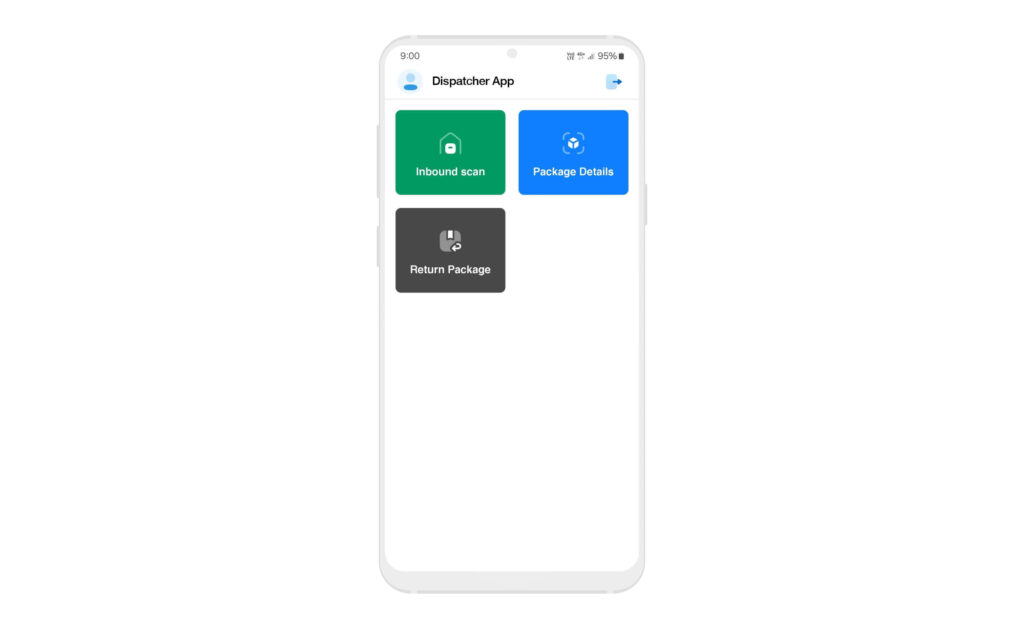
“For Return” Scan Feature: A scan option for the “For Return” status in P&D orders. The dispatcher app now allows scanning orders into this status at the warehouse & orders can also be scanned to check the order details. #DispatcherApp
Foodhub Integration: We’re excited to announce the integration of Onro with Foodhub. This integration allows you to manage Foodhub orders directly within the system, enhancing your existing order management capabilities. #BackEnd #ManagementConsole
P&D Order Cash Transactions: Cash transactions for P&D orders by drivers are now recorded in both the driver’s app and the admin console, improving financial management. #BackEnd #ManagementConsole
Editing Feature for Pricing and Addresses: The ability to edit pricing and addresses for P&D order types has been released in the dispatcher. #ManagementConsole
Failure Reasons Display: Failure reasons are now shown in the order reports list for P&D orders. #ManagementConsole
“For Return” Scan Feature: A scan option for the “For Return” status in P&D orders. The dispatcher app now allows scanning orders into this status at the warehouse & orders can also be scanned to check the order details. #DispatcherApp
Improvements
Error Message Clarity: Certain error messages in the admin have been improved, making it easier for users to identify and resolve issues. #ManagementConsole
Admin Tab Size: The tab size in the admin interface has been optimized for a better user experience. #ManagementConsole
User Access Settings: Changes have been made to the user access settings to provide improved accessibility to both the admin and dispatcher. #ManagementConsole
UI Enhancements: Numerous user interface improvements have been made in the admin, especially in the working type, pricing, orders, and other sections, to enhance the overall user experience. #ManagementConsole
Dispatcher App Camera: The camera functionality in the dispatcher app has been improved. #DispatcherApp
P&D Order Status: The Draft & Confirmed status mechanism for P&D orders has been enhanced. #ManagementConsole
Bugs Fixed
Multi-Dropoff Scroll Issue: The scrolling issue for on-demand multi-dropoff orders has been fixed. #ManagementConsole
Dispatcher Admin Button: The issue with the “Admin” button on the dispatcher page has been resolved. #ManagementConsole
New P&D Order Button: The issue with the “New Order” button for P&D orders has been fixed. #ManagementConsole
Driver Transaction Source List: The issue with the source list for driver transactions has been resolved. #ManagementConsole
Bulk Import Back Button: The issue with the back button on the bulk import form has been fixed. #ManagementConsole
Route UI Form: The problem with the route UI form has been fixed. #ManagementConsole
P&D Order Status: The issue with P&D order status during order creation has been fixed. #ManagementConsole
ETA Settings Update Interval: The issue with the update interval field in ETA settings has been resolved. #ManagementConsole
Time Range Problem: The time range issue has been fixed. #ManagementConsole
Customer Order Info Page: The issue with displaying the customer order info page has been resolved. #ManagementConsole
Failed Reason Form: The issue in the failed reason form has been fixed. #ManagementConsole
Dispatcher Order Loading: The issue with loading orders from the dispatcher’s order list has been solved. #ManagementConsole
Driver Username Conflicts: The system now ensures that driver usernames are unique, preventing any conflicts during account creation. #ManagementConsole
Route Form UI: The UI issue with the create route form has been fixed. #ManagementConsole
Driver App Back Button: The back button on the order details screen in the driver’s app has been fixed. #MobileApps
Customer Transaction List: The issue with viewing the customer transaction list has been fixed. #ManagementConsole
Proof of Pickup (POP): The issue with displaying proof of pickup (POP) fields in the driver’s app has been fixed. #MobileApps
Driver Capacity Issue: The problem of some drivers receiving orders exceeding their capacity has been resolved. #BackEnd #DriverApps
Push Notifications: The push notification issue in the driver’s app has been fixed. #DriverApps
Complete Order Button: The issue with the complete order button in the driver’s app has been fixed. #DriverApps
CEO and co-founder of Onro, driving innovation in last-mile delivery.
Passionate about empowering courier and delivery businesses to grow with technology.
Show All
Contents
Courier Software
Where AI Agents Run Operations
Automate dispatch, route optimization, driver coordination, and customer updates with AI agents working alongside your team.