🚀 What’s New in the Onro Scanner App Update (November 14)
This Onro scanner app update makes scanning faster and easier. It also gives warehouse staff more detail on each package and keeps the screen tidy as they work. As a result, your team needs fewer steps to find a driver’s packages or check who a package is for.
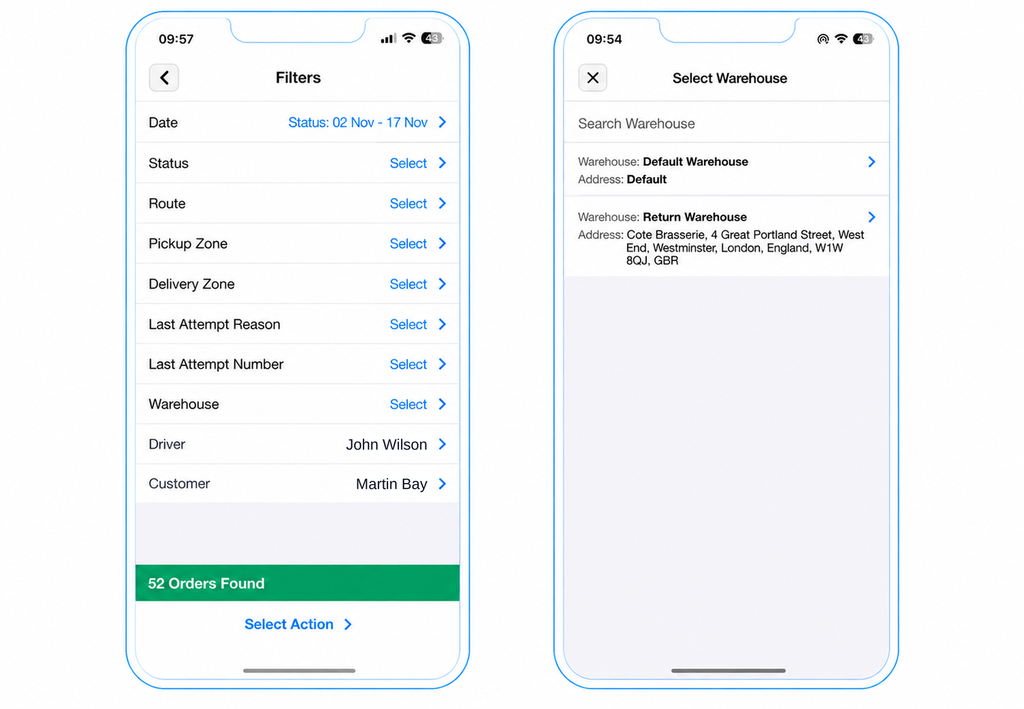
Faster, More Focused Searching in Check & Update
Check & Update now helps you reach the right packages sooner.
- Default filter: The screen opens with a default filter applied. Staff see relevant packages right away instead of a blank list.
- Driver filter: Narrow the list to one driver’s packages. This makes route-level checks quick.
- Customer filter: Filter by customer to review their packages without scrolling through everything else.
More Detail in Package Details
Package Details now shows more about each package.
- Attempt Number and Reason: See each delivery attempt number and its reason. Your team gets the full history of a package at a glance.
- Receiver name: The receiver’s name now appears everywhere in the app. Staff can see who a package is for without opening extra screens.
A Cleaner Scanner App Screen
The layout is now more stable, so key actions stay in the same place.
- Update Order: After you scan a package, the Update Order screen now slides up from the bottom. You can make a correction without losing your place.
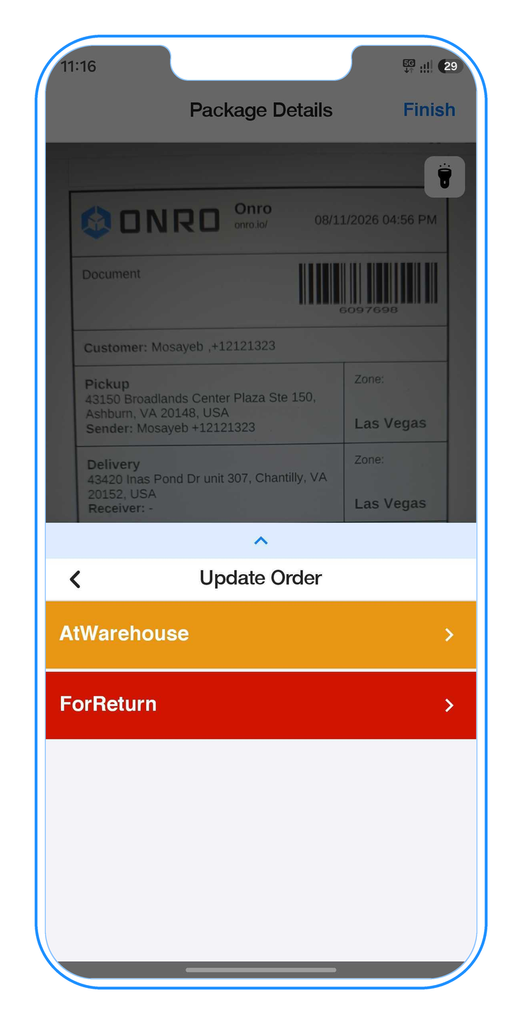
- Warehouse and status options: These now sit at the bottom of the screen. The content above no longer gets pushed up as options are added.
Update to the latest version today to start using the new filters and package details.