Onro’s July 2026 release gives every stop on a multi-drop order its own private tracking link, messages every recipient automatically, and puts proof of delivery right on the tracking page.

Key Takeaways

What’s New in July 2026?
Picture a multi-drop route: one driver, five addresses. Before this release, every recipient on that route got the same tracking link. Open it, and you could see all five stops. Names, addresses, phone numbers of four other people who have nothing to do with your delivery.
That’s not a small privacy gap, and it wasn’t the only problem. The old system also only messaged the first stop on an order. Everyone after that was left checking a link nobody sent them.
This release fixes both.
One link per stop, not one for the whole route
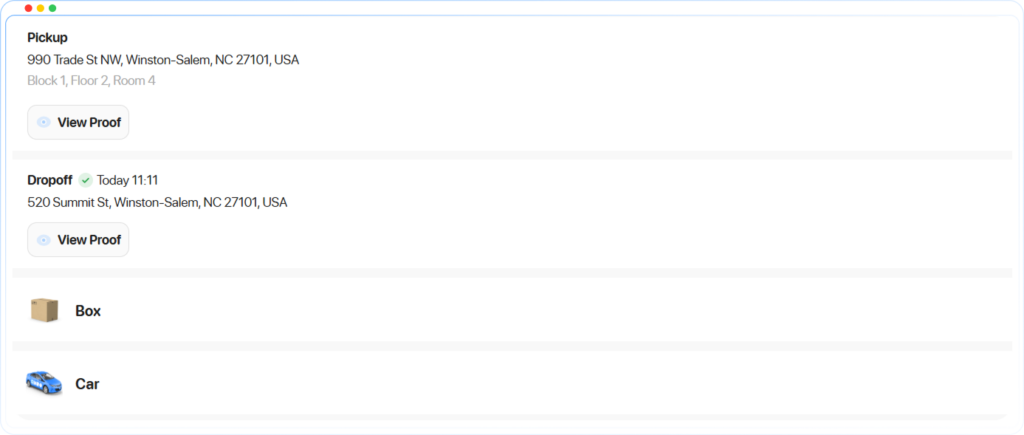
Every drop-off now gets its own tracking link. Open it, and you see only that stop: your pickup, your dropoff, your driver. Nothing about the other four addresses on the route.
That’s the whole fix, and it’s overdue. A tracking link exists so a customer can check on their own delivery, not everyone else’s.
A message for every stop, not just the first
Multi-drop orders now message every recipient, not just the first one. When a drop-off is completed, that contact gets their own message, with their own tracking link, their own name, their own address and phone number filled in automatically. If the person you’re messaging isn’t a drop-off contact, they still get the link for the full order, same as before.
Proof of delivery, without leaving the tracking page
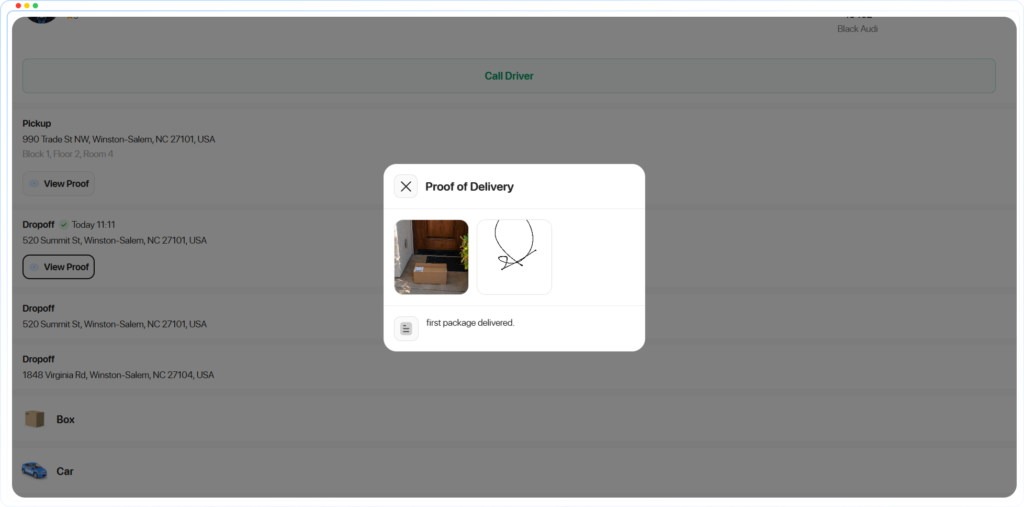
Proof of pickup and proof of delivery now show up right on the tracking page. Recipients don’t have to ask for it or wait for a follow-up message; it’s already there, the same chain of custody record your dispatch team already keeps.
What this touches
- Customer Web App: order details now include a tracking link for each drop-off
- Dispatcher: order details now include a tracking link for each drop-off
- Track Order Page: other drop-offs are hidden, proof of pickup and delivery are shown, and every drop-off has its own link
- Communication Module: messages now loop through every drop-off contact, with the right tracking link matched to the right stop
Also in this release: customers can no longer edit an order once it’s been assigned (editing is now limited to the pending stage), plus nine bug fixes covering the driver app’s language list, the draft order edit screen, custom status names, incoming call pop-ups, custom fields, order exports, customer editing, and the Web App’s support section.
Fewer messages sent to the wrong person, and less explaining why a customer can see someone else’s address. That’s the actual win here.