What’s New in June 2026?
We’re excited to introduce a long-awaited update to the customer web app: customers can now edit existing orders directly from the order details page. Instead of cancelling and recreating an order to make changes, clients can update key information on the fly, save time, and keep the order data accurate throughout the delivery process.
What Can Be Edited?
Custom Fields & Order Information
Update order-level custom fields without recreating the order.
- Edit phone number and email address
- Update or add custom fields
- Add or edit Reference IDs
- Add or update delivery notes for drivers
- Save changes directly to the existing order
Pickup & Dropoff Addresses
Modify collection and delivery addresses even after the order has been created.
- Update collection address and schedule
- Update delivery address and schedule
- Add additional drop-off stops to on-demand orders
- See address changes reflected on the map in real time
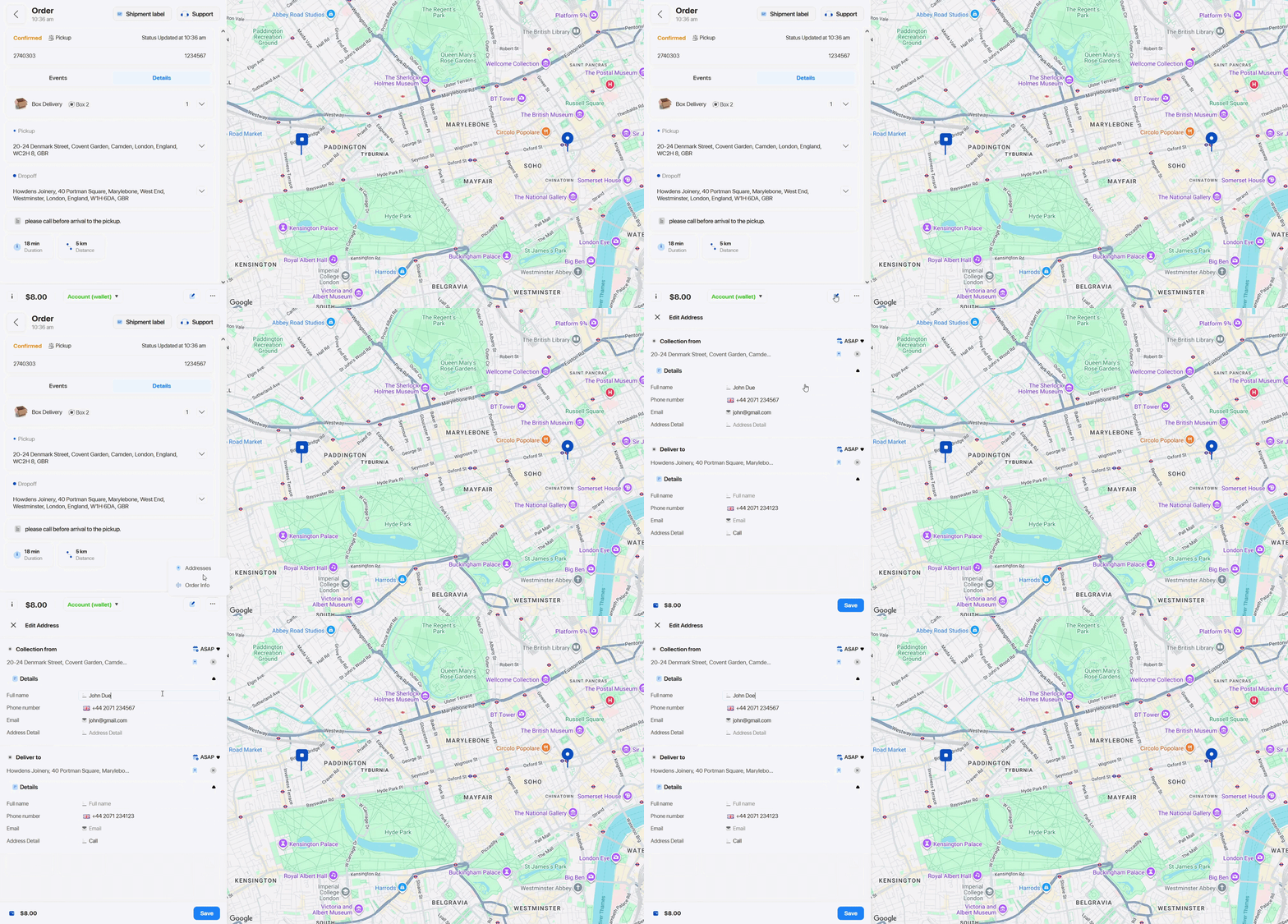
This update gives your customers more flexibility than ever to handle changes as they happen, without disrupting ongoing operations.
✨ Improvements
- Added the delivery method column to the order export.
- Improved the Invoice UI for customers.
🐞 Bug Fixes
- Fixed an issue where the complete drop-off button in the driver’s app was not working correctly.
- Fixed an issue where the route optimization was returning an error.
- Fixed the error with the order table in the Dispatcher Panel.
- Fixed an issue where editing order phone numbers would not save.
- Fixed an issue where the Dispatcher map filter was returning an error.
- Fixed an issue with the Foodhub phone number handling.